 DENIS BUBENÍK

QUOTE ON SITE AND SIGN-OFF · A PRACTICAL MINICOURSE
Build the
quote system
you'll use on
your next job.
Build a reusable quote, a clear approval step and follow-up with a next action. Adapt the materials in the tools you already use.
24 months of access · 14-day refund
A clear way forward.
THE GAP AFTER A GOOD SITE VISIT
The visit is finished. The quote still needs your evening.
Your notes are ready. But the quote still has to be written, the scope explained and the next step agreed. When the customer goes quiet, the follow-up depends on what you remember. This minicourse helps you put those pieces into one repeatable routine.
Build it in the tools you already use. Then test it on a quote of your own.
Build a repeatable routinePUT THE PIECES TOGETHER
One quote.
One clear next step.
See how scope, approval and follow-up fit together. Then build the routine around the jobs you sell.
Complete the quote.
Keep the scope clear.
Start from your job-type template. Write what is included, what is separate and which option you recommend.
Try changing the example job name →Your agreed work
Your checked specification
Handover
Work outside the agreed scope
Changes to be priced separately
Make the yes
clear in writing.
Check the chosen work, locally reviewed wording and required notices. Test your own paper or phone approval path.
Try the example checklist →Example installation job
Give the quote
somewhere to go.
Keep the owner, next action and date visible. Adapt the follow-up wording to the real situation, and recognise a no.
Choose an owner and a next action →Example installation job
Preview only. Nothing is sent or saved.The course takes you through the workflow. You adapt the materials and test the process on a quote of your own.
Look inside the actual course materials
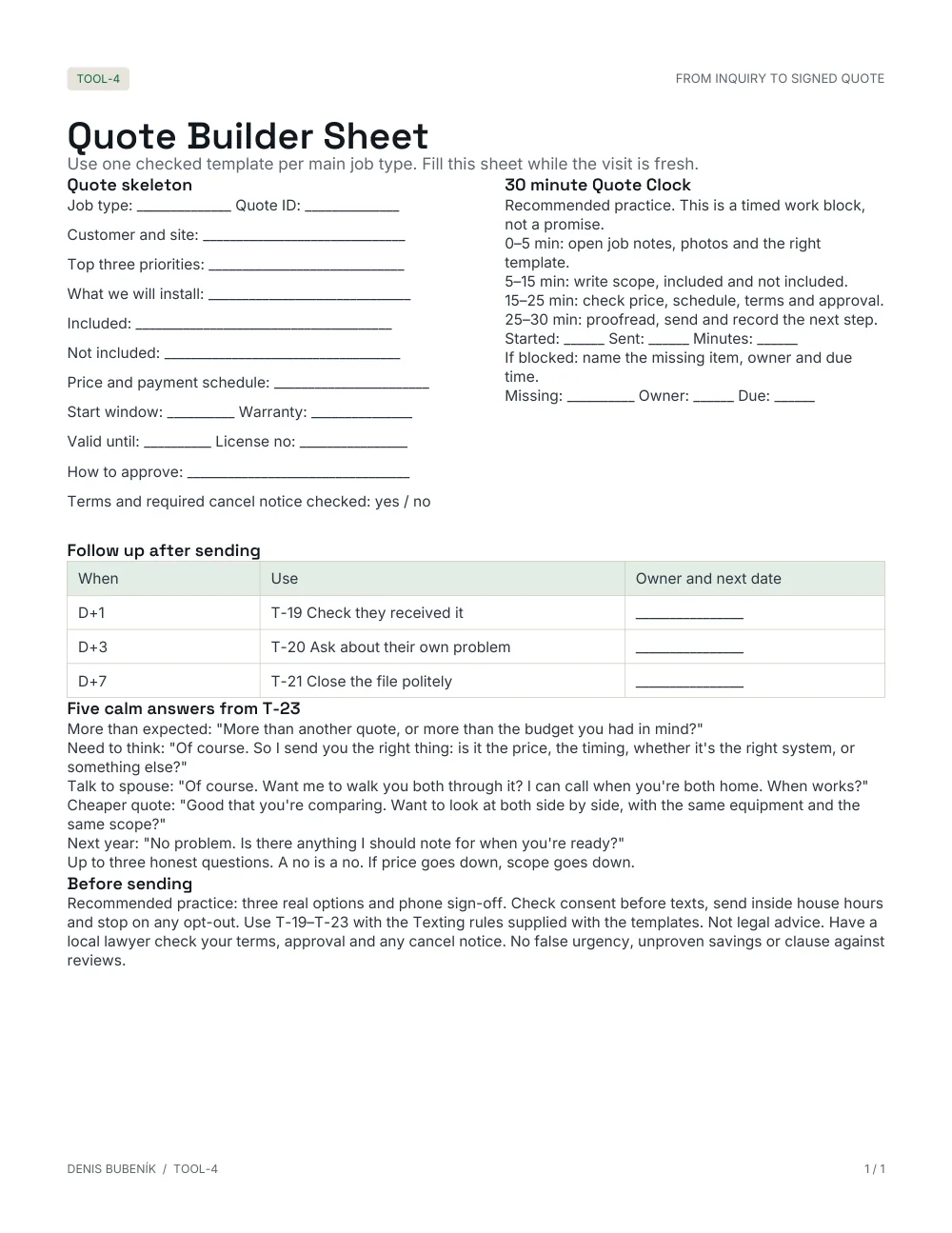 Quote Builder Sheet
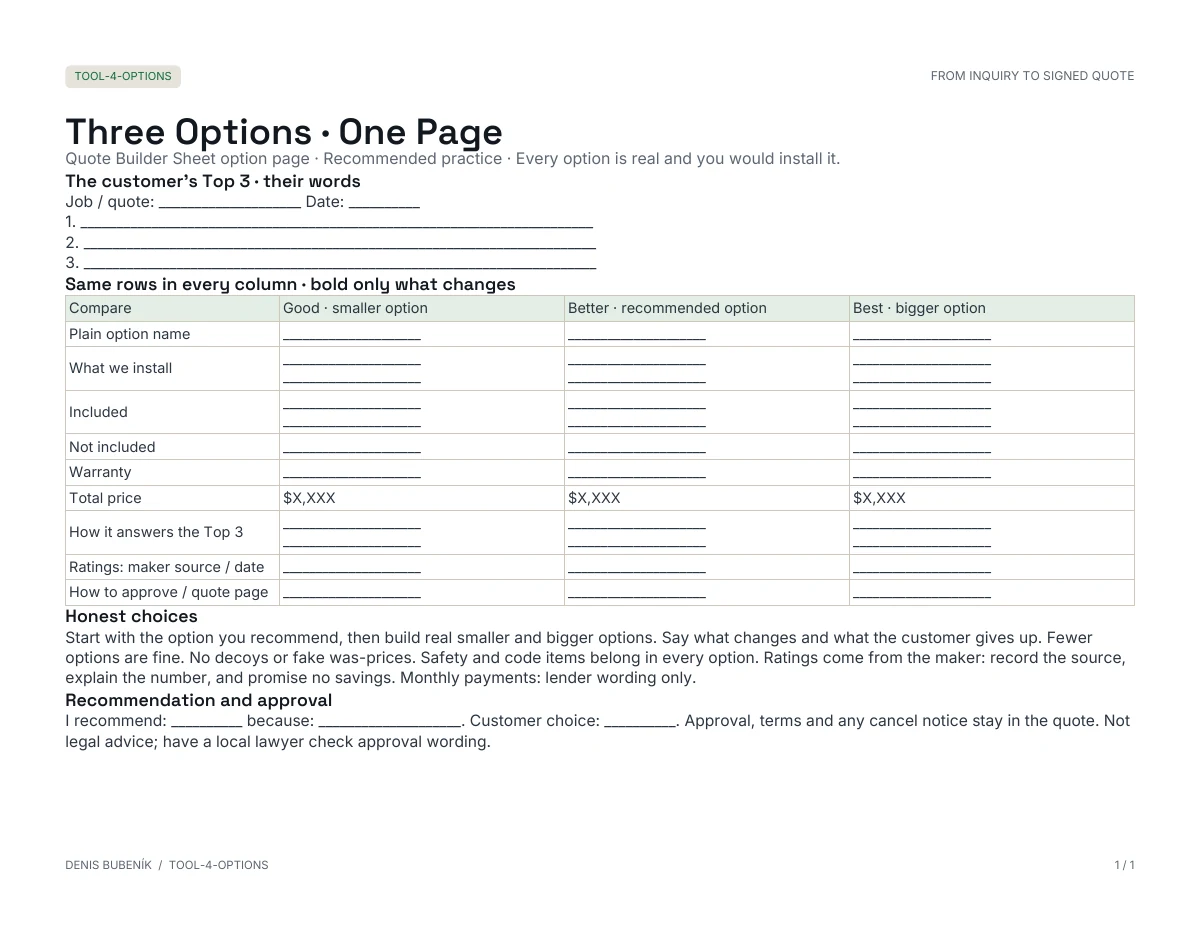 Three Options · One Page
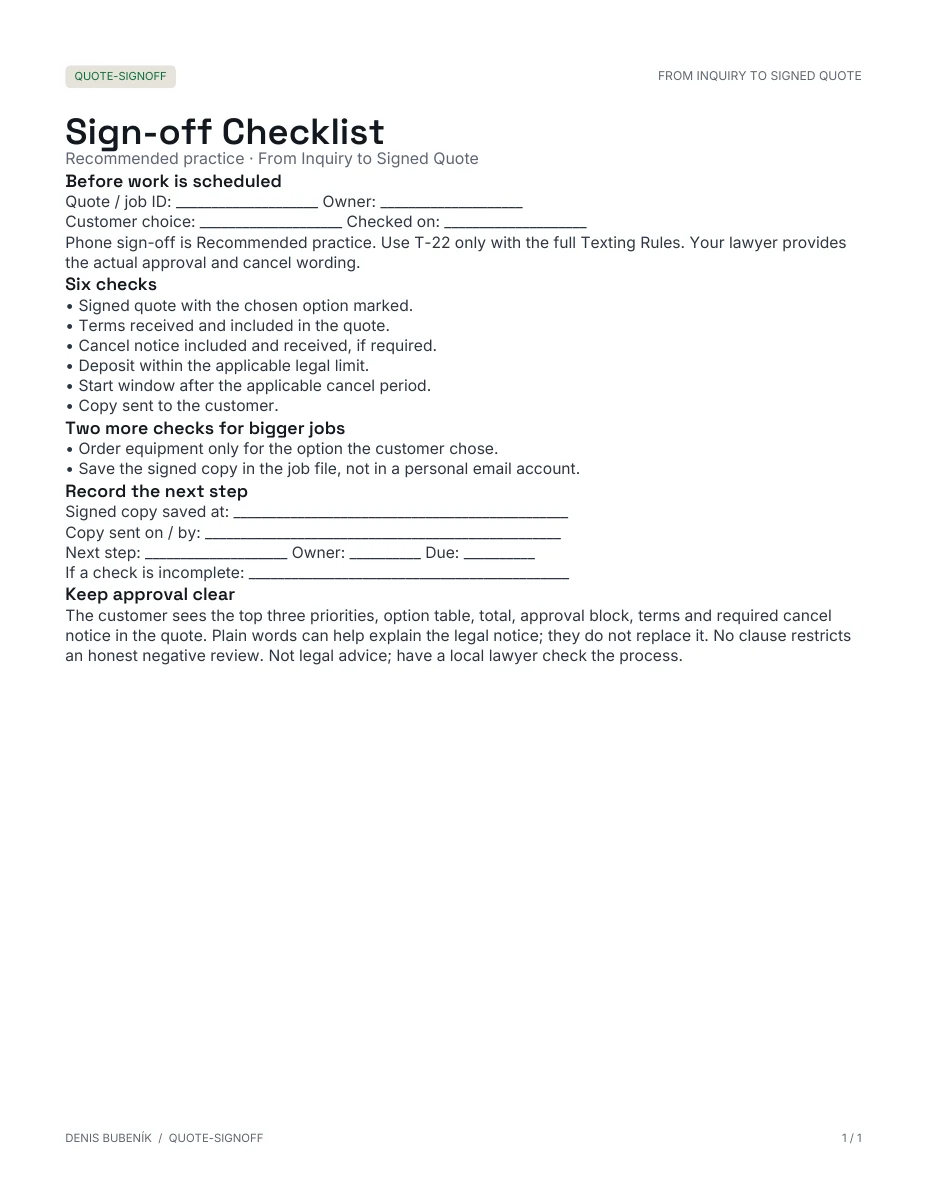 Sign-off Checklist
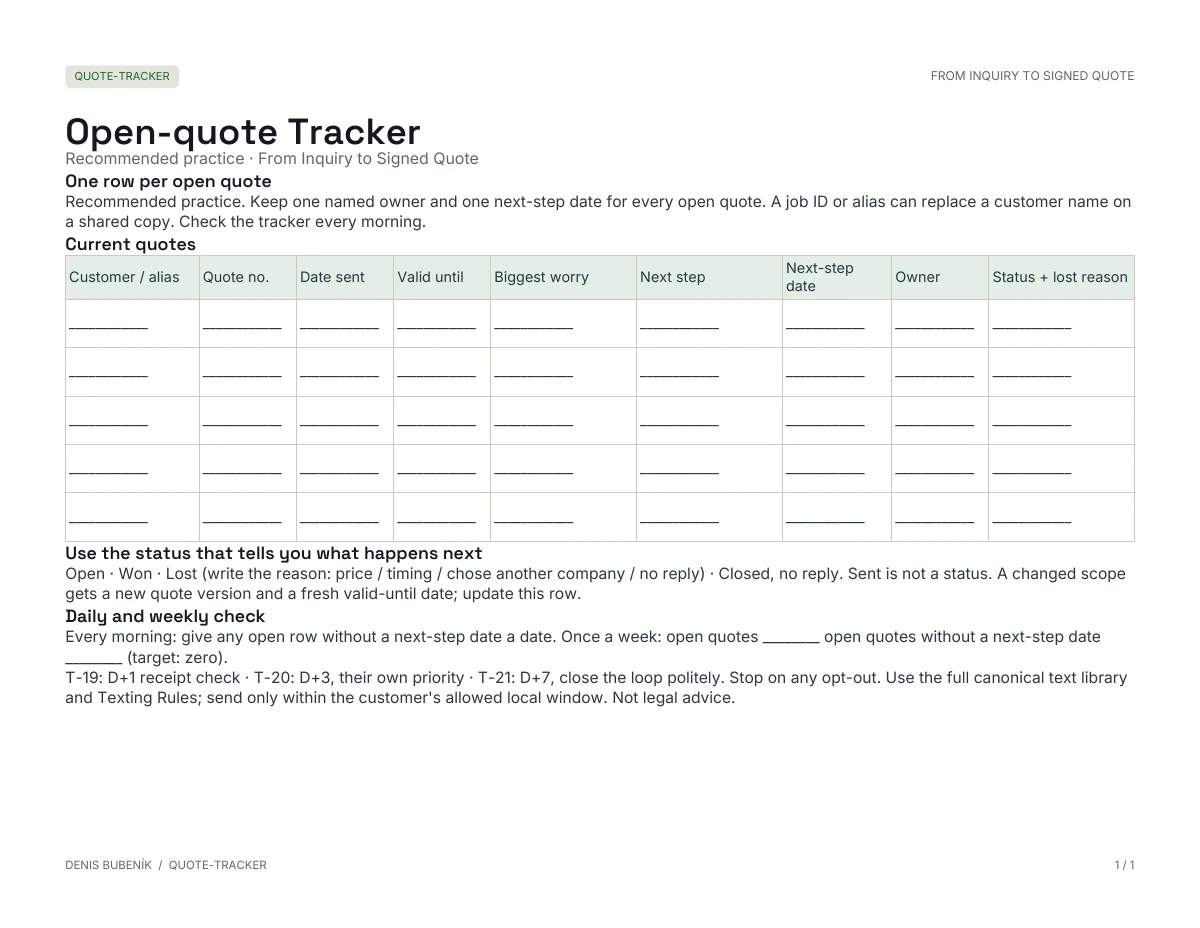 Open-quote Tracker
Actual blank course materials. Adapt them to your own work.
YOUR FINISHED WORKING SYSTEM
Build a quoting system your team can use.
Follow the walkthroughs, adapt the materials to your jobs and test the process. Here is what you prepare—and where it earns its place in the work.
01A quote you complete, instead of rewriting.Your own quote outline and job-type template.
Start with the job you sell most. Keep the checked lines, fill in what this home needs and make the approval step clear.
WORK WITHQuote Builder Sheet + editable materials
02Scope that doesn't depend on memory.An included / not-included list for the quote.
Write what is included, what is separate and what happens if the work changes. Give your team and the customer the same starting point.
WORK WITHScope checklist
03Options the customer can compare.One clear options page, with no decoys.
Show genuine choices and the trade-offs. Tie your recommendation to the customer's priorities, with a smaller scope when that is appropriate.
WORK WITHThree Options · One Page
04A clear way to say yes in writing.An approval checklist you have tested yourself.
Bring the chosen option, approval step, terms and required notices together. Test the paper or phone path using your own tools and locally checked wording.
WORK WITHSign-off Checklist + wording to adapt
05An open quote with somewhere to go.A tracker with an owner and next step for each open quote.
Know who owns it, what happens next and when to close the loop. Adapt the follow-up wording and keep the next step visible.
WORK WITHOpen-quote Tracker + follow-up texts
06A calm answer before an unnecessary discount.An answer sheet your office can refer to.
Find out whether the issue is budget, scope, timing or something the quote did not explain. Practise a clear response and recognise a no.
WORK WITHFive objection answers
View the six course lessons
- 01Your quote templates: one per job type
- 02Writing the quote in the van
- 03Three options, one page
- 04Approve and sign on the phone
- 05After you hit send: the follow-up
- 06"Too expensive" and other answers
A BETTER PROCESS FOR THE WORK YOU ALREADY DO
Before you cut the price, make the scope clear.
When the customer compares prices, compare the work. A smaller budget can mean a smaller scope, rather than the same job at a lower margin. A clear quote, a written approval step and a follow-up routine give you a process to use on the work you already do.
Look at your last quote. What did you rewrite? What did you leave out? What did you discount before changing the work? Build the next version around those answers.
Use your own job numbers to judge the value. Customer decisions and financial results depend on your business and how you use the material.FROM FAMILY INSTALLATION BUSINESSES IN SLOVAKIA AND THE CZECH REPUBLIC.YOUR INSTRUCTOR · DENIS BUBENÍK
Built around the work that happens after the visit.
I'm Denis. I run operations in our family's installation businesses in Slovakia and the Czech Republic. We install air conditioning, heat pumps and solar. The course shows our quoting workflow and the practices I'd add for a business in the US or Canada.
The lessons distinguish Our practice from Recommended practice. Options, phone sign-off and the follow-up routine are labelled Recommended practice.
QUOTE ON SITE AND SIGN-OFF
Build the process behind your next quote.
- All six lessons and walkthroughs
- Quote Builder Sheet and editable materials
- Scope, options and sign-off checklists
- Follow-up wording, tracker and objection answers
24 months of access (731 days).
One business and its own staff.
Self-paced. You adapt and test the materials. No setup service, coaching or live calls.
BEFORE YOU START
A few clear answers.
Do I need new software?
Use paper, a spreadsheet or the tools you already have. The course teaches the workflow. An e-sign service is not included; you use your own paper or e-sign process.
Will you set it up for me?
You follow the lessons, adapt the materials and test them on your work. This is a self-paced course, with no setup service, coaching or live calls.
Can my office staff use it?
Your licence covers one business and its own staff. Build the routine together and give each open quote a named owner.
What about local rules?
Have the appropriate local professional check your wording, terms and required notices. The course is not legal advice or technical installation training.
What if it isn't for me?
Full refund within 14 days of purchase, no questions. One payment gives 24 months of access (731 days), not lifetime.